Your Complete Reminder Solution for Work, Health & Life
Timelee delivers comprehensive reminder management with multiple notification methods including phone calls, location alerts, medication tracking, and intelligent calendar automation. Stay organized across every aspect of your life.


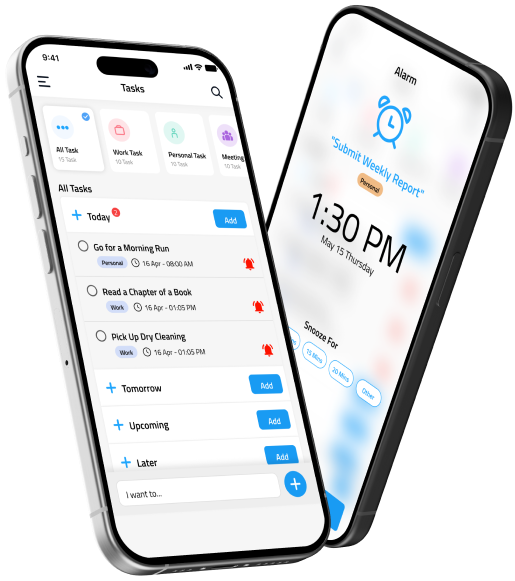
Comprehensive Reminder Types for Every Scenario
Purpose-built reminder categories designed to handle specific needs—from task management to health tracking
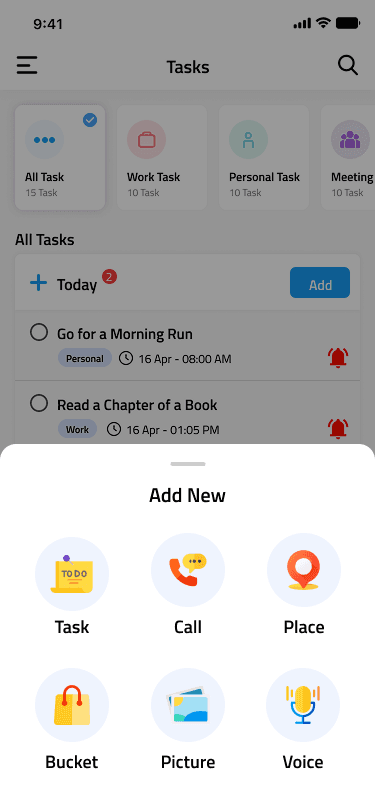
Task Reminders
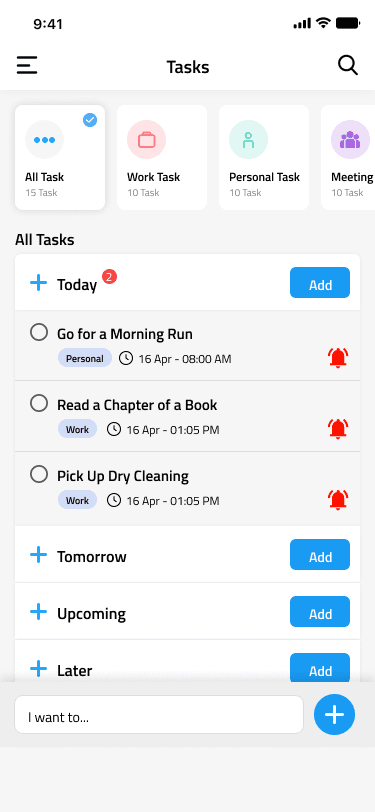
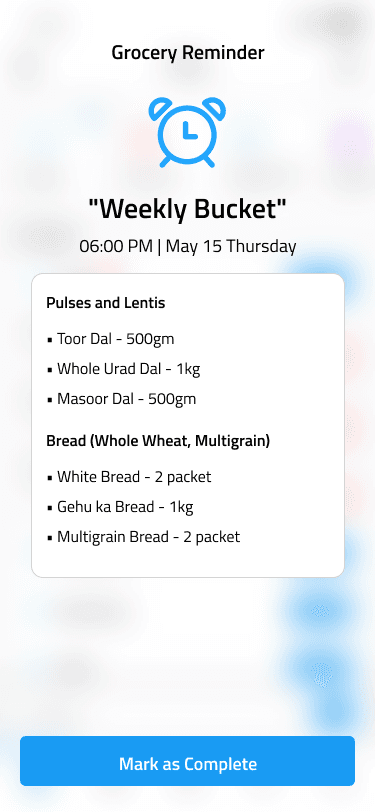
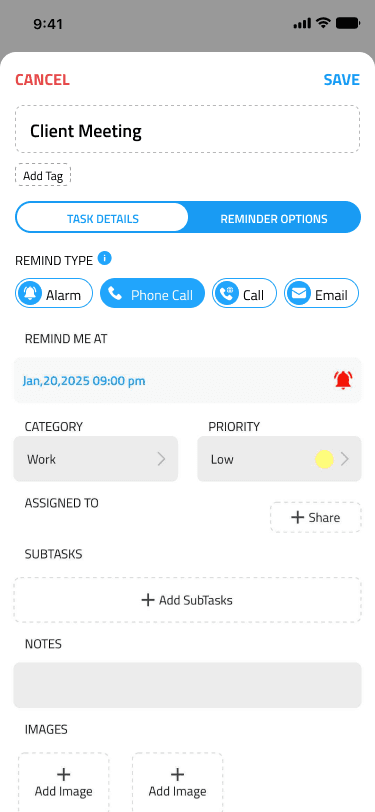
Full-featured task management with subtasks, attachments, notes, and voice memos. Overdue tasks persist with daily notifications until completion. Share with teams for seamless collaboration.
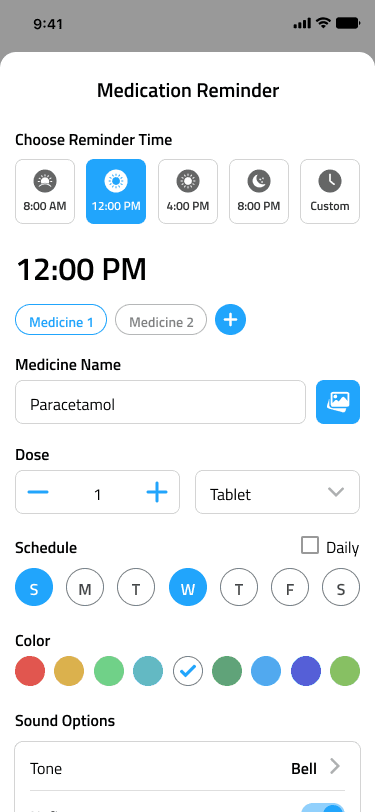
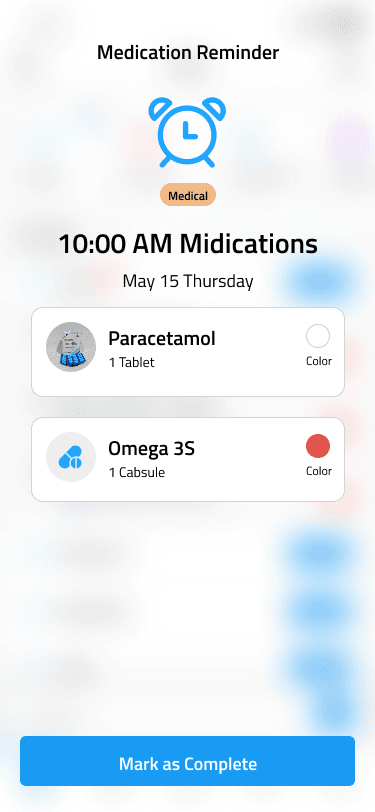
Medication Management
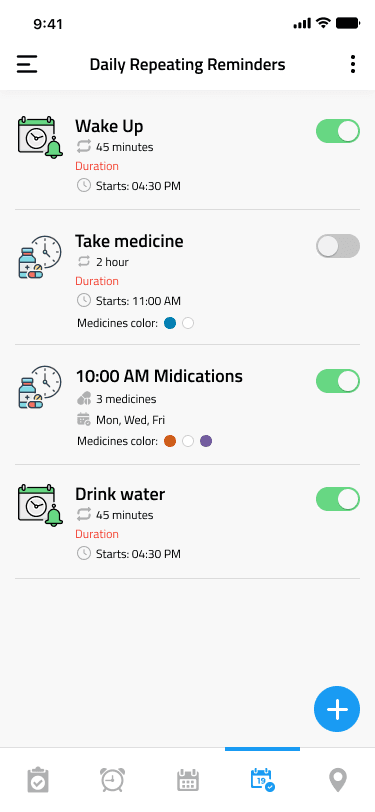
Specialized medication tracking with multiple daily schedules, custom days, and color-coding for easy identification. Critical notifications via phone calls ensure you never miss a dose.
Recurring Daily Reminders
Build consistent habits with interval-based reminders throughout the day. Ideal for hydration, breaks, exercise, and wellness routines with flexible scheduling options.
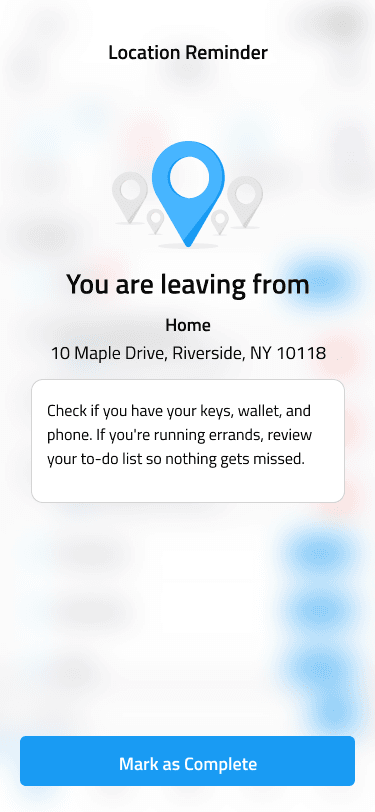
Location-Based Alerts
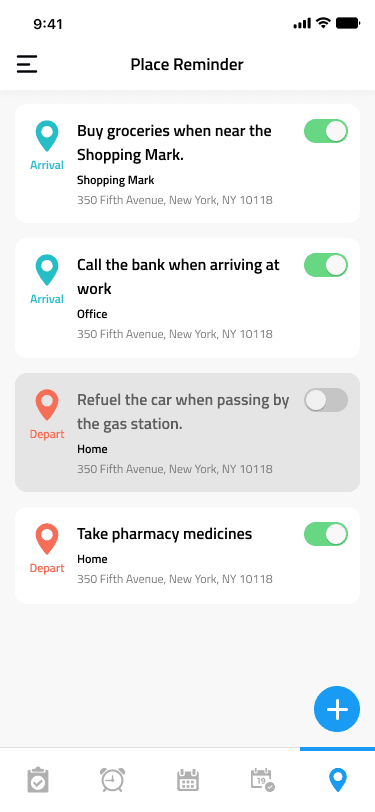
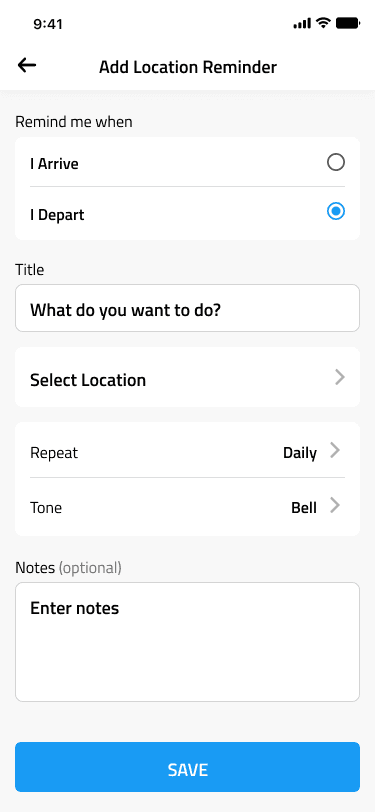
Trigger reminders automatically upon arrival or departure from specified locations. GPS-powered reminders perfect for errands, site visits, and location-dependent tasks.
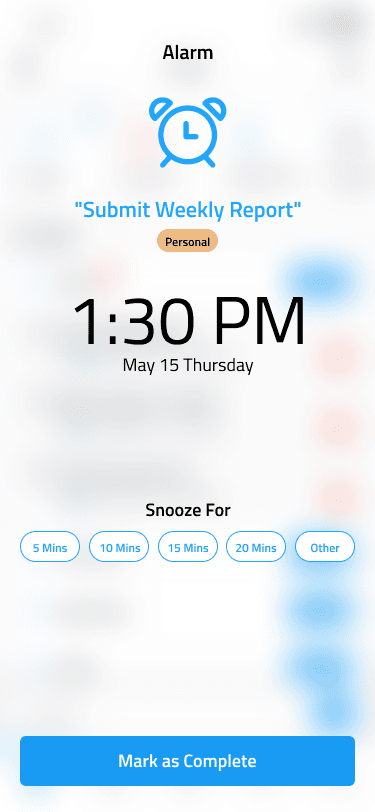
Advanced Alarm System
Sophisticated alarm functionality with pre-alarms, snooze controls, and recurring patterns. Extends beyond wake-up alarms to support time-critical activities throughout the day.
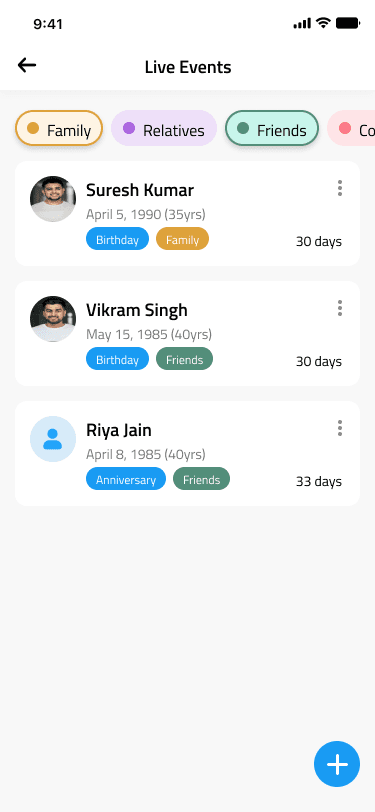
Contact Call Reminders
Schedule reminders to call specific contacts with one-tap dialing from the notification screen. Maintain personal and professional relationships with timely communication prompts.
Calendar Automation
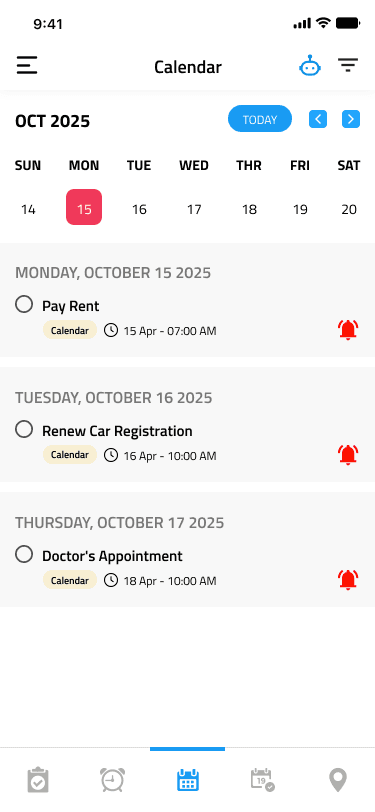
Industry-leading calendar integration that automatically generates reminders for all calendar events. Configure pre-event notifications (30min, 10min, on-time) with your preferred notification method.
Team Collaboration
Share reminders and tasks across teams with synchronized notifications. Create multiple teams, distribute responsibilities, and maintain alignment on shared objectives.
Flexible Organization
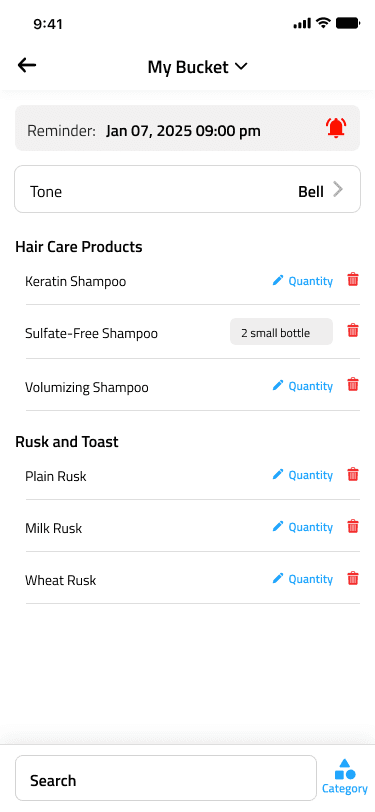
Organize with categories, priority levels, custom tags, and advanced filtering. Customize notification patterns, schedules, and repetition rules to match your workflow.
Multiple Notification Methods for Maximum Reliability
Choose the notification type that matches the urgency and context of each reminder
Standard Alarm Notifications
Traditional push notifications with customizable sounds and vibration patterns. Reliable, battery-efficient notifications suitable for most reminder types.
In-App Voice Calls
Internet-based voice notifications delivered through the app. More attention-commanding than standard notifications, requires active acknowledgment to dismiss.
Cellular Phone Calls
Traditional phone call reminders to any specified number. The most reliable notification method for critical reminders like medications or urgent deadlines. Works even when the app is closed.
Email Notifications
Email-based reminder delivery for tasks requiring documentation or less immediate attention. Creates a written record and supports delayed action.
Advanced Audio Customization Options
Personalize notification sounds to create distinct, recognizable alerts for different reminder types
Custom Sound Library
Select from built-in notification tones or upload custom audio files. Assign distinct sounds to different reminder categories for instant recognition.
Text-to-Speech Integration
Automated voice synthesis reads your reminder text aloud. Combine with audio alerts for comprehensive notification delivery.
Personal Voice Recording
Record custom voice messages for reminders. Add detailed instructions, motivational content, or context-specific information in your own voice.
Sophisticated Scheduling
Configure complex repetition patterns including specific weekdays, bi-weekly schedules, monthly recurrence, and fully custom intervals to match any routine.
How Timelee Works
Get started in minutes and experience seamless task management
Download & Setup
Download Timelee from App Store or Google Play. Quick onboarding guides you through essential features.
Create Your Tasks
Add tasks, set dates, times, categories, priorities, and choose your notification preferences.
Stay on Track
Receive timely notifications via your preferred method. Never miss a deadline.
Trusted Across Multiple Industries
Professionals, families, and individuals rely on Timelee for critical reminder management
Healthcare & Wellness
Health Routines: Interval reminders for hydration, exercise, and wellness activities
Medical Appointments: Automated calendar reminders for clinical visits
Business Professionals
Client Relations: Contact reminders for follow-ups and relationship management
Deadline Management: Task reminders with team collaboration capabilities
Family Coordination
Schedule Management: Calendar automation for family events and activities
Important Dates: Contact reminders for birthdays and special occasions
Academic Excellence
Assignment Tracking: Task breakdowns with subtask management
Campus Navigation: Location-based reminders for campus facilities
Personal Development
Habit Formation: Repeating notifications for consistency building
Location Triggers: Automated reminders at gyms and wellness centers
Enterprise Teams
Field Operations: Location-based reminders for site visits and inspections
Communication Management: Scheduled contact reminders with direct dial integration
How Timelee Compares to Leading Reminder Apps
See what sets Timelee apart from other reminder and productivity solutions
| Feature | Timelee | Apple Reminders | Google Tasks | Todoist | Any.do |
|---|---|---|---|---|---|
| Phone Call Notifications | ✓ | ✗ | ✗ | ✗ | ✗ |
| Calendar Automation | ✓ | ✗ | ✗ | ✗ | ✗ |
| Dedicated Medication Reminders | ✓ | ✗ | ✗ | ✗ | ✗ |
| Voice Recording Reminders | ✓ | ✗ | ✗ | ✗ | ✗ |
| Location-Based Reminders | ✓ | ✓ | ✗ | paid | paid |
| Daily Interval Reminders | ✓ | ✗ | ✗ | ✗ | ✗ |
| Contact Call Reminders | ✓ | ✗ | ✗ | ✗ | ✗ |
| Subtasks | ✓ | ✓ | ✓ | ✓ | ✓ |
| Team Collaboration | ✓ | ✓ | ✓ | ✓ | ✓ |
| In-App Voice Call (Internet) | ✓ | ✗ | ✗ | ✗ | ✗ |
| Notification Methods | 4 Types | Push Only | Push Only | 3 Types | Push + Voice |
🎯 Timelee's Unique Value Proposition
While Apple Reminders and Google Tasks provide basic reminder functionality, and Todoist and Any.do focus on productivity and task management, Timelee is the only app specifically designed to ensure you never miss critical reminders through multiple notification delivery methods.
Key Differentiators:
- Phone Call Notifications: The only app that calls your actual phone number for critical reminders
- Medical Focus: Dedicated medication tracking with visual pill identification and dosage management
- Contact Integration: Set reminders to call specific contacts with one-tap dial capability
- Interval Reminders: Unique "every X minutes/hours" functionality for hydration, exercise, and health routines
- Calendar Automation: Automatically creates reminders from imported calendar events
* Comparison based on publicly documented features verified from official sources as of December 2024.
Experience Comprehensive Reminder Management
Join professionals and families who rely on Timelee for critical notifications. Available on iOS and Android.
Free to start • Multiple plans available • No credit card required
Everything You Need in One Place
Comprehensive reminder management designed for modern life
Frequently Asked Questions
What makes Timelee different from other reminder apps?
How do phone call reminders work?
What's the difference between App Call and Phone Call?
How does Calendar Automation work?
Can I set different notification types for different reminders?
How do location reminders work?
What are Daily Repeating Reminders best used for?
Can I share reminders with family or team members?
How do voice recording reminders work?
What happens to incomplete To-Do reminders?
Can I set reminders for specific days of the week?
How many place reminders can I create?
Do I need internet for reminders to work?
Is Timelee suitable for medication management?
Can I add images or notes to reminders?
Is there a free version?
What are Call Reminders used for?
How do I organize different types of reminders?